日本語のREADMEはこちらです: README.ja.md
A simple JavaScript GIF decoder for parsing and rendering GIF files in browsers or Deno environments.
See the library in action: Live Demo
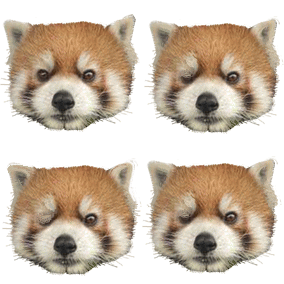
The example GIF a01-kanta.gif is sourced from Fukui City Zoo open data.
Uint8ClampedArray pixel data for easy rendering.This library is distributed as an ES module and can be imported directly from a URL. No installation step is required.
To decode a GIF, fetch it as an ArrayBuffer, then use the parseGIF and decompressFrames functions.
import { parseGIF, decompressFrames } from 'https://code4fukui.github.io/gifuct-js/src/index.js';

// Fetch the GIF file
const response = await fetch('path/to/your.gif');
const buffer = await response.arrayBuffer();

// Parse the GIF
const gif = parseGIF(buffer);

// Decompress the GIF frames
const frames = decompressFrames(gif, true); // true to generate canvas-ready patches
The frames array contains all the data needed to render the animation. Each frame is a patch that should be drawn on top of the previous frame’s output, respecting the disposalType.
The recommended rendering approach is to use two canvases: one hidden canvas to compose the full GIF image and one visible canvas to display it.
const canvas = document.querySelector('#player');
const ctx = canvas.getContext('2d');

// Set canvas dimensions
canvas.width = gif.lsd.width;
canvas.height = gif.lsd.height;

// Create a temporary canvas for compositing
const tempCanvas = document.createElement('canvas');
const tempCtx = tempCanvas.getContext('2d');
tempCanvas.width = canvas.width;
tempCanvas.height = canvas.height;

let frameIndex = 0;

function draw() {
  const frame = frames[frameIndex];
  const { dims, patch, disposalType } = frame;

  // Method 2: Draw the new patch onto the temporary canvas,
  // then draw the temporary canvas onto the main canvas.
  if (disposalType === 2) {
    tempCtx.clearRect(0, 0, tempCanvas.width, tempCanvas.height);
  }

  // Create an ImageData object from the patch
  const imageData = tempCtx.createImageData(dims.width, dims.height);
  imageData.data.set(patch);

  // Draw the patch onto the temporary canvas
  tempCtx.putImageData(imageData, dims.left, dims.top);

  // Copy the temporary canvas to the visible canvas
  ctx.drawImage(tempCanvas, 0, 0);

  // Schedule the next frame
  frameIndex = (frameIndex + 1) % frames.length;
  setTimeout(draw, frame.delay);
}

draw();
parseGIF(arrayBuffer)arrayBuffer: ArrayBuffer |
The raw GIF file data. |
Returns: ParsedGif |
A structured object representing the parsed GIF file. |
Parses the high-level structure of the GIF, including headers, color tables, and raw frame data. This function does not decompress the image data.
decompressFrames(parsedGif, buildImagePatches)parsedGif: ParsedGif |
The object returned from parseGIF. |
buildImagePatches: boolean |
If true, a patch property with a Uint8ClampedArray will be added to each frame object, ready for canvas rendering. |
Returns: ParsedFrame[] |
An array of decompressed frame objects. |
ParsedFrameEach object in the array returned by decompressFrames has the following structure:
pixels: number[]
dims: { top: number, left: number, width: number, height: number }
delay: number
disposalType: number
colorTable: [r, g, b][]
transparentIndex: number
patch: Uint8ClampedArray (optional)
[R, G, B, A, ...] format. Only present if buildImagePatches was true.MIT License — see LICENSE.